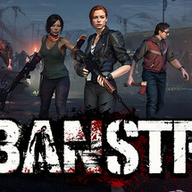
Urban Strife System Requirements: Can Your PC Survive the Zombie Apocalypse?
Wondering if your rig can handle Urban Strife? Dive into the minimum and recommended system requirements to ensure a smooth, tactical zombie survival experience.
The zombie apocalypse is a brutal test of survival, and in the world of Urban Strife, it's also a test of your PC's capabilities. Before you dive into this tactical survival RPG, understanding the Urban Strife system requirements is crucial. This guide will help you determine if your gaming rig is ready to face the undead hordes and navigate the complex web of human factions in a post-apocalyptic world, ensuring a smooth and immersive experience from the get-go.
Understanding Urban Strife: A Glimpse into the Post-Apocalypse
Urban Strife plunges players into a world two years after a devastating viral outbreak. You awaken as a mysterious survivor, rescued by the "Urban Shelter" community, a struggling group desperate for leadership. Your journey involves rebuilding their defenses, fending off zombies, and making critical decisions that shape the narrative and determine the fate of your allies and enemies. The game promises a rich blend of old-school turn-based strategy, open-ended exploration, and base survival.
What truly sets Urban Strife apart are its distinctive mechanics. Combat features a realistic ballistic simulation, calculating every bullet trajectory and even individual shotgun pellets, factoring in material penetration and weapon stats. This means you can strategically shoot through walls or line up multi-target hits. Environments are destructible, opening new tactical possibilities. The game also boasts a dynamic AI system where zombies move simultaneously during their turn, keeping combat tense and engaging without unnecessary delays. Beyond combat, resource management, base building, and intricate faction interactions (including the National Guard, Church of Second Chance, and Shady Lady bikers) are central to your survival, offering unique opportunities and moral dilemmas.
Urban Strife System Requirements: The Essentials for Survival
To ensure you can effectively lead your shelter and survive the zombie-infested landscape, it’s vital to check if your PC meets the necessary specifications. Here’s a detailed breakdown of the minimum and recommended Urban Strife system requirements as provided by the developers.
Minimum System Requirements
These specifications represent the bare minimum needed to run Urban Strife. While the game might technically launch, you may experience lower frame rates, reduced graphical fidelity, and potentially longer loading times.
Recommended System Requirements
For the best possible experience, including smoother gameplay, higher graphical settings, and faster performance, meeting or exceeding the recommended Urban Strife system requirements is advised.
Breaking Down the Specs: What Do They Mean for Your Rig?
Understanding what each component specification means for your gameplay experience can help you assess your current setup or plan potential upgrades.
Processor (CPU): The Brains of the Operation
Urban Strife is a tactical RPG with complex AI for both zombies and human factions, as well as real-time ballistic calculations. This means your CPU will be working hard. The minimum requirement of an Intel i5 4690 or AMD FX 8350 suggests that a quad-core processor with decent clock speeds is essential. For smoother AI processing and faster turn calculations, the recommended Intel i7 8700K or AMD Ryzen 5 3600 will provide a significant boost, minimizing any potential bottlenecks during intense combat scenarios or large-scale base operations.
Memory (RAM): Keeping Everything in Flow
With a consistent requirement of 16 GB RAM for both minimum and recommended specs, it's clear that Urban Strife is memory-intensive. RAM is crucial for loading game assets, textures, and managing multiple processes simultaneously. Having 16 GB ensures that the game can quickly access the data it needs without constantly swapping to slower storage, which would lead to stuttering or longer loading screens. If you currently have 8 GB, an upgrade to 16 GB should be a priority for a fluid experience.
Graphics Card (GPU): Visualizing the Apocalypse
The GPU is responsible for rendering the game's visuals, from detailed character models to destructible environments and realistic ballistic effects.
The jump from 4GB to 8GB+ VRAM in the recommended specs indicates that Urban Strife utilizes higher-resolution textures and more complex visual effects at optimal settings. An RTX 2060 Super or RX 5700 XT will ensure crisp visuals and stable frame rates, allowing you to fully appreciate the game's tactical depth and immersive post-apocalyptic world.
Storage: Speed Matters
While 20 GB of available space is a relatively modest requirement, the "SSD recommended" note for optimal performance is significant. SSDs (Solid State Drives) offer dramatically faster read and write speeds compared to traditional HDDs (Hard Disk Drives). This translates to:
- Faster loading times: Get into the action quicker and reduce waits between missions or when transitioning areas.
- Smoother asset streaming: Game elements can load more efficiently, reducing pop-in and texture loading delays.
- Improved overall responsiveness: The game and your operating system will feel snappier.
If you're still running games off an HDD, an SSD upgrade is one of the most impactful improvements you can make for modern gaming, especially for titles like Urban Strife.
Operating System & DirectX: Standard Foundations
Both minimum and recommended specifications require Windows 10 64-bit and DirectX Version 11. These are standard for most contemporary PC games. Ensure your operating system is up to date and that your graphics drivers support DirectX 11.
Optimizing Your Experience: Tips for Smooth Gameplay
Even if your PC just meets the Urban Strife system requirements, there are steps you can take to enhance your gaming experience.
- Update Graphics Drivers: Always ensure your Nvidia, AMD, or Intel graphics drivers are up to date. Manufacturers frequently release optimizations for new game titles.
- Close Background Applications: Programs running in the background consume CPU, RAM, and sometimes GPU resources. Close unnecessary web browsers, streaming apps, or other software before launching Urban Strife.
- Adjust In-Game Settings: If you're struggling with performance, start by lowering graphical settings such as:
- Texture Quality
- Shadow Quality
- Anti-aliasing
- View Distance
- Resolution (as a last resort) Experiment with these settings to find a balance between visuals and performance that suits your system.
- Monitor Temperatures: Overheating components can lead to throttling and reduced performance. Use monitoring software to keep an eye on your CPU and GPU temperatures. Ensure your PC has adequate cooling.
- Consider an SSD: As mentioned, an SSD can drastically improve loading times and overall game responsiveness. If you don't have one, it's a worthwhile investment.
- Verify Game Files: If you encounter crashes or unusual behavior, verifying the integrity of game files through Steam can often resolve issues caused by corrupted installations.
Is Your PC Ready for Urban Strife? Final Verdict
Urban Strife offers a compelling blend of tactical combat, deep survival mechanics, and a rich narrative in a zombie-ridden world. To truly appreciate its intricate ballistic simulation, dynamic AI, and immersive base-building, meeting or exceeding the Urban Strife system requirements is paramount.
While the minimum specifications provide a gateway into the game, aiming for the recommended setup—especially with a robust CPU, 16GB of RAM, and a modern GPU with ample VRAM—will unlock the smoothest and most visually appealing experience. Don't let technical limitations hinder your fight for survival. Check your system, make any necessary adjustments, and prepare to lead your community through the harsh realities of the apocalypse.
For more information on the game, including its unique features and latest updates, visit the official Steam page for Urban Strife: Urban Strife on Steam.
Frequently Asked Questions (FAQ)
Q1: What are the absolute minimum Urban Strife system requirements to play the game? A1: To play Urban Strife, you'll need at least a 64-bit Windows 10 OS, an Intel i5 4690 or AMD FX 8350 processor, 16 GB of RAM, an Nvidia GTX 970 or RX 480 graphics card (with 4GB+ VRAM), DirectX 11, and 20 GB of available storage space.
Q2: Is an SSD necessary for Urban Strife? A2: While not strictly required, an SSD is highly recommended in the game's specifications. It will significantly improve loading times and overall game performance, making the experience much smoother and more enjoyable.
Q3: Can I run Urban Strife on a PC with only 8 GB of RAM? A3: The game explicitly lists 16 GB of RAM as a minimum requirement. Running it with only 8 GB would likely lead to severe performance issues, including stuttering, long load times, and potential crashes. An upgrade to 16 GB is strongly advised.
Q4: My PC meets the minimum specs but the game is still running slowly. What can I do? A4: Even if you meet the minimum Urban Strife system requirements, you might need to lower in-game graphical settings like texture quality, shadow detail, or anti-aliasing. Ensure your graphics drivers are up to date and close any unnecessary background applications to free up system resources.
Related Guides
Is Urban Strife Worth It? A Deep Dive Into the Tactical Zombie Survival Experience
Wondering if Urban Strife is worth it? We analyze the combat, base management, and current Early Access state to help you decide if it belongs in your library.
Urban Strife Full Release Review: Is This Post-Apocalyptic Strategy RPG Worth Your Time?
Dive into our comprehensive review of the Urban Strife full release. We explore the tactical combat, base building, and survival mechanics of this new title.
Urban Strife Gameplay Review: Is This Turn-Based Zombie Survival RPG Worth Your Time?
Dive into our in-depth Urban Strife gameplay review. We explore the mechanics, combat, and survival systems of this new post-apocalyptic strategy RPG.
Urban Strife on Steam Deck: Is This Post-Apocalyptic RPG Ready for Your Handheld?
Thinking about playing Urban Strife on Steam Deck? We break down performance, playability, and whether this zombie RPG is a good fit for your handheld.